I only chop onions when I’m blue, and it’s not a rainy day
to go for a walk without an umbrella. I am a man, after all,
even if no one expects me to keep up appearances anymore.
And I suppose belief in constellations was a hallmark of youth
until one night we looked up at the northern sky and realised
that even the closest stars were light years apart—without fear.
Author: Maciej Modzelewski
Watching from the sidelines
Life always seemed to be outside the realm of our expertise,
and as unrepentant as one can be, we thrived on the idea
that any seemingly genuine feeling other than all the anguish
that one could muster would turn out to be nothing but a façade,
so instead we have been collecting stains since time immemorial
and, ever eager for a gaze into the abyss, continue to do so.
But what’s most bizarre is that we truly intend to celebrate
our forlorn retirement as if we were mere spectators
in this panopticon.
The game of colours
What are the odds of getting one double-yolk egg,
let alone a whole box? One in a thousand, I read,
and yet the latter happened to me just the other day.
You have to admit, I must be one lucky bastard
or an unlucky one, depending on the superstitions
we follow. Speaking of which, I have always wondered
why blue is considered better than red and white imposes
its supposed supremacy over black, brown, and yellow.
After all, in the game of colours, nothing lasts but the dire
shades of pale.
The shadows
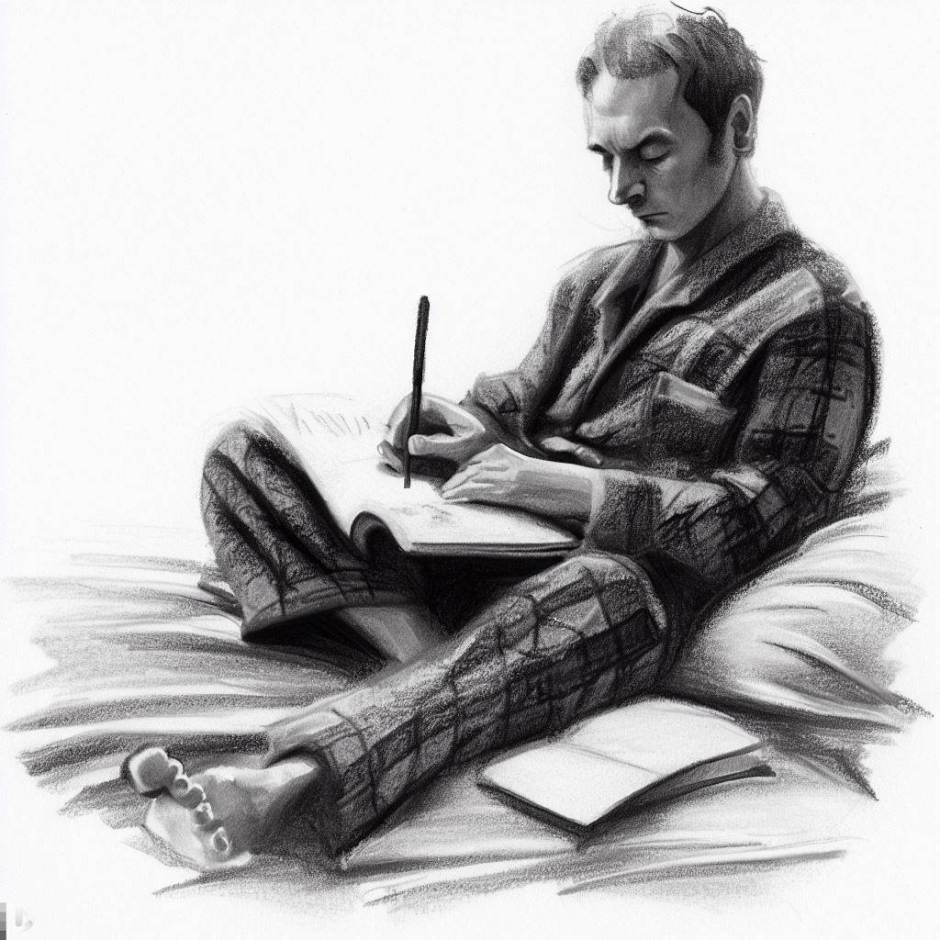
The shadows outside my bedroom wear names other than mine,
but at least we still share the sentiment of having one.
Also, we all measure time, although I’m not particularly fond
of manipulating it, even if only twice a year.
The shadows outside my bedroom are keen on collecting proverbs,
as they look good pinned in a display box on the wall.
Well, as long as guests don’t mind the smell of naphthalene
and glossy reddish-brown stains on the pinning stage.
The shadows outside my bedroom preach kinship with the sun
yet practice fluttering around the glowing, coiled filament of tungsten
I come from. Sometimes I wonder if, behind closed curtains,
they simply cease to exist.
Reality
Nothing is real but reality in a watercolour
fog washed with the secretions of the graveyard
shift, like the yawner’s mention of a scarlet dawn.
Is it the fool moon mocking the street lamps
with reflected light that holds terror for one,
or is it the crunch of pebbles with each tired step?
And while the outline of meals has long lost its meaning,
they are still necessary to keep up appearances.
After all, any of them could be supper.
Node.js app with Nunjucks (Part 5)
So far, we have built the basic Node.js app, configured Nunjucks, learned about template inheritance, and Nunjucks tags for basic operations like creating and modifying variables, conditional statements, and loops. This time, we will learn how to create macros to avoid code repetition.
Creating a macro
Macros in Nunjucks are like functions in a programming language. To create one, you need the macro tag, which has the name of the macro and its parameters if required, and the closing tag endmacro. The logic goes between the two tags. Here is an example of a simple macro that provides a greeting text depending on the day of the week.
{% macro greeting(weekDay) %}
{% if weekDay === "Friday" %}
<span>It's almost the weekend.</span>
{% elif weekDay === "Saturday" or weekDay === "Sunday" %}
<span>Enjoy your weekend break.</span>
{% else %}
<span>It's just another working day.</span>
{% endif %}
{% endmacro%}
The parameters to the macro can have default values to use if the values are not provided in the macro call (for more details, see the documentation). An example of that in the following macro is the value for the target attribute of the html anchor tag.
{% macro link(url, text, targetValue = "_blank", routeParams=null, queryParamss=null) %}
{% if routeParams %}
{% for key, value in routeParams %}
{% set url = url | replace(":" + key, value) %}
{% endfor %}
{% endif %}
{% if queryParams %}
{% for key, value in queryParams %}
{% set operator = "?" if loop.first else "&" %}
{% set url = url + operator + key + "=" + value | replace(" ", "+") %}
{% endfor %}
{% endif %}
<a href="{{ url }}" target="{{ targetValue }}" rel="noopener noreferrer">{{ text }}</a>
{% endmacro %}
At this point in the tutorial, you should be able to understand the above code, though some parts require explanation. First is the following line:
{% set url = url | replace(":" + key, value) %}
It uses a replace filter. Filters, as explained in the Nunjucks documentation, are functions that can be applied to variables, are called with a pipe operator, and can take arguments. In this case, it replaces the route parameters with the provided values.
Another line that requires some explanation is
{% set operator = "?" if loop.first else "&" %}
It uses one of the few special variables that are provided with the for loop: loop.first, which is a boolean indicating the first iteration.
Using a macro
To use a macro, you have to import it into a template.
{% from "macros/greeting.njk" import greeting %}
Then you can use it for variable assignment
{% set greetingText = greeting(weekDay) %}
or directly in a block of code.
{% block mainContent %}
<p>Today is {{ weekDay }}. {{ greeting(weekDay) }}</p>
{% endblock %}
Happy coding!
A rude awakening
In the river of yellow umbrellas,
the rain swims with frantic crawls,
as if plotting wet shoulders were barely enough.
But even if the sky forgives the reflection
and the wind forgets the manner,
once they learn that forever has a pretty short shelf life,
they will realise all that’s left is to count
the grains of sand stolen from an hourglass
and be cautious.
Node.js app with Nunjucks (Part 4)
So far, we have built the basic Node.js app, configured Nunjucks, and learned about template inheritance. Now we can start creating additional parts of the page template in their own files and learn more Nunjucks tags while creating their content.
Prerequisities
First, create three additional templates in the partials directory: header.njk, navbar.njk, and footer.njk, and include them in the index.njk.
<!DOCTYPE html>
<html lang="en">
{% include "partials/head.njk" %}
<body>
{% include "partials/header.njk" %}
{% include "partials/navbar.njk" %}
<main>
{% block mainContent %}{% endblock %}
</main>
{% include "partials/footer.njk" %}
</body>
</html>
We also need to style our content, so for that, create a directory called public in the project root directory and inside it a styles subdirectory with a style.css file in it. Then add a link to that file in the head.njk,
<head>
<meta charset="utf-8"/>
<meta name="viewport" content="width=device-width, initial-scale=1"/>
<title>{{ titleText }}</title>
<link rel="stylesheet" type="text/css"href="styles/style.css">
</head>
modify the build script in package.json to copy the public directory,
"build": "npm run clean && npm run compile && cp -r src/views build/src/views && cp -r public build/public"
and add the relevant entry in index.ts to serve static files.
app.use(express.static(path.join(__dirname, '../public')));
Basic operations
Let’s start learning the basic operations that you are guaranteed to use on a daily basis.
Creating and modifying variables
To create or modify a variable in Nunjucks, you have to use the set tag. Let’s say that you wish the text in <title> to be a concatenation of two texts: one provided as a global variable and another being the particular page header. For that, provide the global variable in the index.ts as follows.
nunjucksEnvironment.addGlobal('titleMainText', 'My Website');
Then in the head.njk above the <head> tag sets the titleText variable that was previously provided by the indexController,
{% set titleText = titleMainText + " - " + headerText %}
and, of course, you have to remove the relevant entry from that controller, so now it will only provide the headerText.
If you are in a situation where you have to capture a whole block of content into a variable, there is an alternative syntax that uses the closing tag {% endset %}, like in this code that we add to the header.njk
{% set headerLink %}
<a href="{{ headerHref }}">{{ headerText }}</a>
{% endset %}
<header>
<h1 class="header">
{{ headerLink | safe }}
</h1>
</header>
Since by default Nunjucks will escape all output, if not configured differently, the above code would render the headerLink into a string instead of an actual hyperlink, so to avoid that, you have to mark it as safe. Remember also to update the indexController that provides the data for the Nunjucks template.
Conditional statements
The if statement in Nunjucks behaves exactly as if in JavaScript, but unlike in the latter, it requires a closing endif tag. Also, the else if statement has the form elif or elseif, which is simply an alias of elif. Here is an example of how to use it: In home.njk it takes a weekday variable provided by the indexController and sets a greeting text based on a particular condition. The result is used in a paragraph in the mainContent block.
{% if weekDay === "Friday" %}
{% set greetingText = "It's almost the weekend." %}
{% elif weekDay === "Saturday" or weekDay === "Sunday" %}
{% set greetingText = "Enjoy your weekend break." %}
{% else %}
{% set greetingText = "It's just another working day." %}
{% endif %}
{% block mainContent %}
<p>Today is {{ weekDay }}. {{ greetingText }}</p>
{% endblock %}
Similar to the ternary operator, you can use if as if it were an inline expression.
<header>
<h1 class="{{ "weekend-header" if weekDay === "Saturday" or weekDay === "Sunday" else "header" }}">
{{ headerLink | safe }}
</h1>
</header>
For loop
The for loop iterates over arrays and dictionaries, and just like the if statement, it requires a closing tag. If you wish to iterate over an array, the syntax is “for item in array,” and in the case of a dictionary, it is “for key, value in dictionary.” Let’s look at an example. We will create a simple navbar. The text and href of each element will come in a dictionary created in the indexController.
const menu: Map<string, string> = new Map();
menu.set('Home', '/');
menu.set('Texts', '/texts');
menu.set('Gallery', '/gallery');
menu.set('About', '/about');
res.render('mainContent/home', {
headerText: 'Hello World!',
headerHref: '/',
weekDay: weekDay,
menu: menu,
});
Then in navbar.njk, we create a <nav> element with a list inside, which is populated using the for loop and the menu dictionary.
<nav class="navbar">
<ul>
{% for key, value in menu %}
<li><a href="{{ value }}">{{ key }}</a></li>
{% endfor %}
</ul>
</nav>
Add styles to your liking and you’re done. Happy coding!
Node.js app with Nunjucks (Part 3)
After building the basic Node.js app and configuring Nunjucks, we have everything ready and can start creating individual pages and learning about inheritance.
Template inheritance
First, you should create some subdirectories in the views directory to logically structure the templates. You need layouts where you keep the templates containing the overall page structure. Move the index.njk file there. You also need partials, where you will keep templates of the elements that are common to all or most pages, like the header and footer. And finally, you also need a mainContent directory where you will keep templates of the individual pages main content.
.
├── package.json
├── package-lock.json
├── src
│ ├── controllers
│ │ └── indexController.ts
│ ├── index.ts
│ └── views
│ ├── layouts
│ │ └── index.njk
│ ├── mainContent
│ └── partials
└── tsconfig.json
Once that’s done, open the index.njk file and start moving its parts to their own template files. In the partials directory, create a head.njk file and move the head section there. Then use the include tag to add it to the index.njk so that every time the latter is rendered, the content of the former will be pulled in exactly in the place where the include tag is placed.
<html lang="en">
{% include "partials/head.njk" %}
<body>
It has to be inside {% %} since Nunjucks uses specific tokens to enclose variables, blocks, and comments (this is actually configurable; for details, see the customising syntax section of the documentation).
{{ variableName }}
{% some logic here %}
{# some comment here #}
Next, create a file named home.njk in the mainContent directory and move to it the <h1> header from index.njk. However, this time instead of including the new partial template in the index.njk, add a <main> element to the <body>, and inside it create a new block tag with the mainContent identifier. It also requires a closing tag indicating the end of the block.
<body>
<main>
{% block mainContent %}{% endblock %}
</main>
</body>
Then in home.njk, enclose the <h1> header in a block with the same identifier and make this partial template a child of index.njk, using the extends tag. This will cause the mainContent block in parent to be overwritten during rendering by the one in child. But you can also render the contents of the parent block inside a child block by calling the special function super() (check the documentation for details).
{% extends "layouts/index.njk" %}
{% block mainContent %}
<h1>{{ headerText }}</h1>
{% endblock %}
Once this is done, your project structure should look like this:
.
├── package.json
├── package-lock.json
├── src
│ ├── controllers
│ │ └── indexController.ts
│ ├── index.ts
│ └── views
│ ├── layouts
│ │ └── index.njk
│ ├── mainContent
│ │ └── home.njk
│ └── partials
│ └── head.njk
└── tsconfig.json
Happy coding!